
Layarva Edge
Bring Layarva closer to your screens.
Layarva Edge acts as a local hub for connected screens while synchronizing configuration and content with Layarva Cloud.
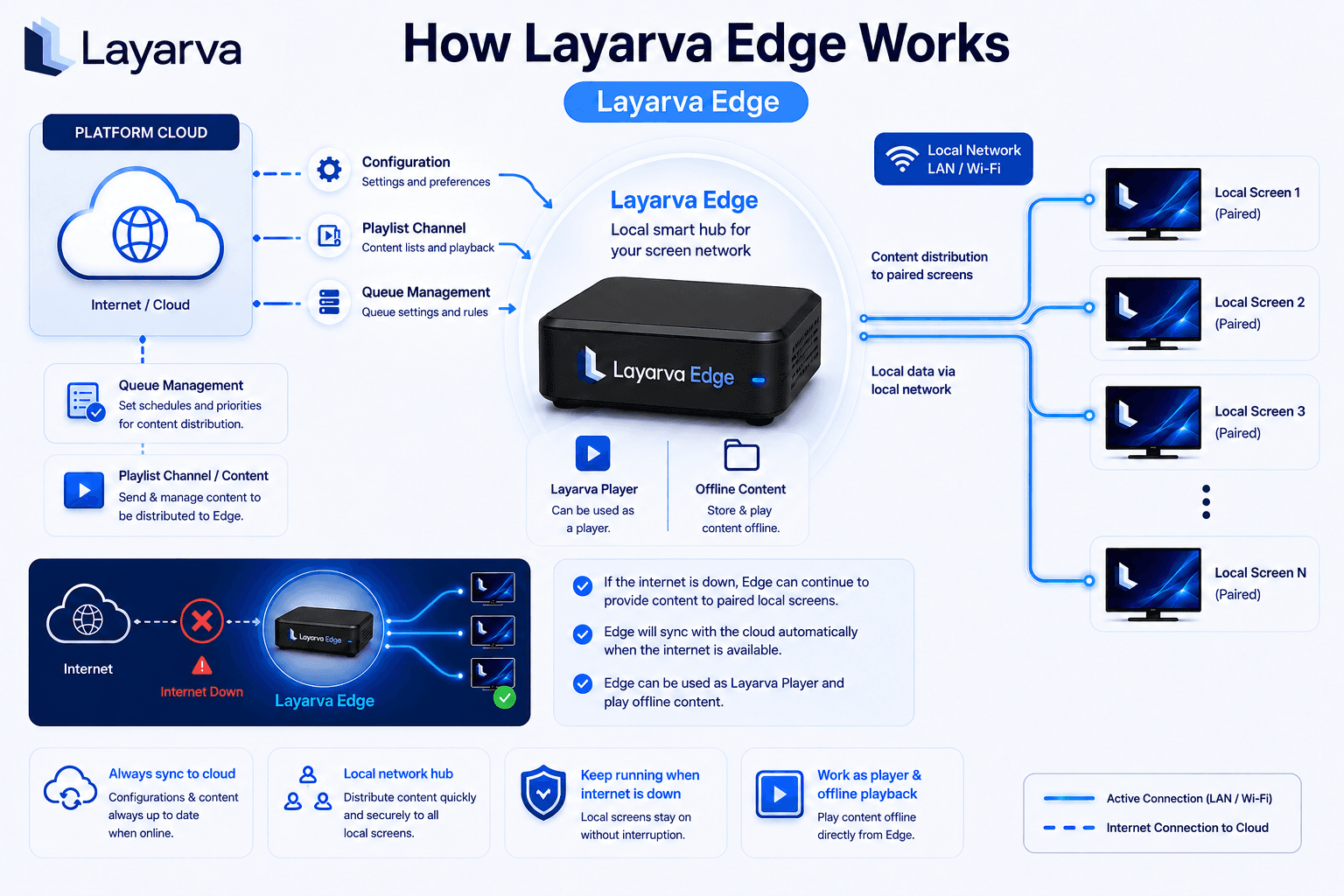
Scroll sideways to see the whole diagram.
What Edge does
Cloud synchronization
Configuration, playlists and queue settings originate from centralized management in Layarva Cloud and are synchronized down to Edge.
Local distribution
Edge can distribute available content and configuration across supported screens on its LAN or Wi-Fi, instead of every screen fetching over the WAN.
Connectivity interruption
Previously synchronized content can continue to play according to the supported Edge deployment, and Edge resynchronizes when the connection returns.
Edge as player
An Edge unit can also drive a screen itself and play offline content stored on it.
Why a site chooses Edge
Less WAN dependency
Ten screens in one building do not each need to pull the same video across the same connection.
Local distribution
Content moves across the local network, which is usually faster and always cheaper than the uplink.
Central management stays
Edge does not become a second place to administer. The workspace is still the source of truth.
Offline-capable playback
A branch with an unreliable line keeps showing what it was given, where the deployment supports it.
Edge reduces dependency on a wide-area connection. It is not a promise of zero downtime, and cloud-side management still needs connectivity.
The path content takes
Layarva Cloud
Layarva Edge
LAN / Wi-Fi
Local screens
Planning an Edge deployment?
Tell us how many screens, which network, and what has to keep playing when the line drops.