
Healthcare
Better information while patients wait.
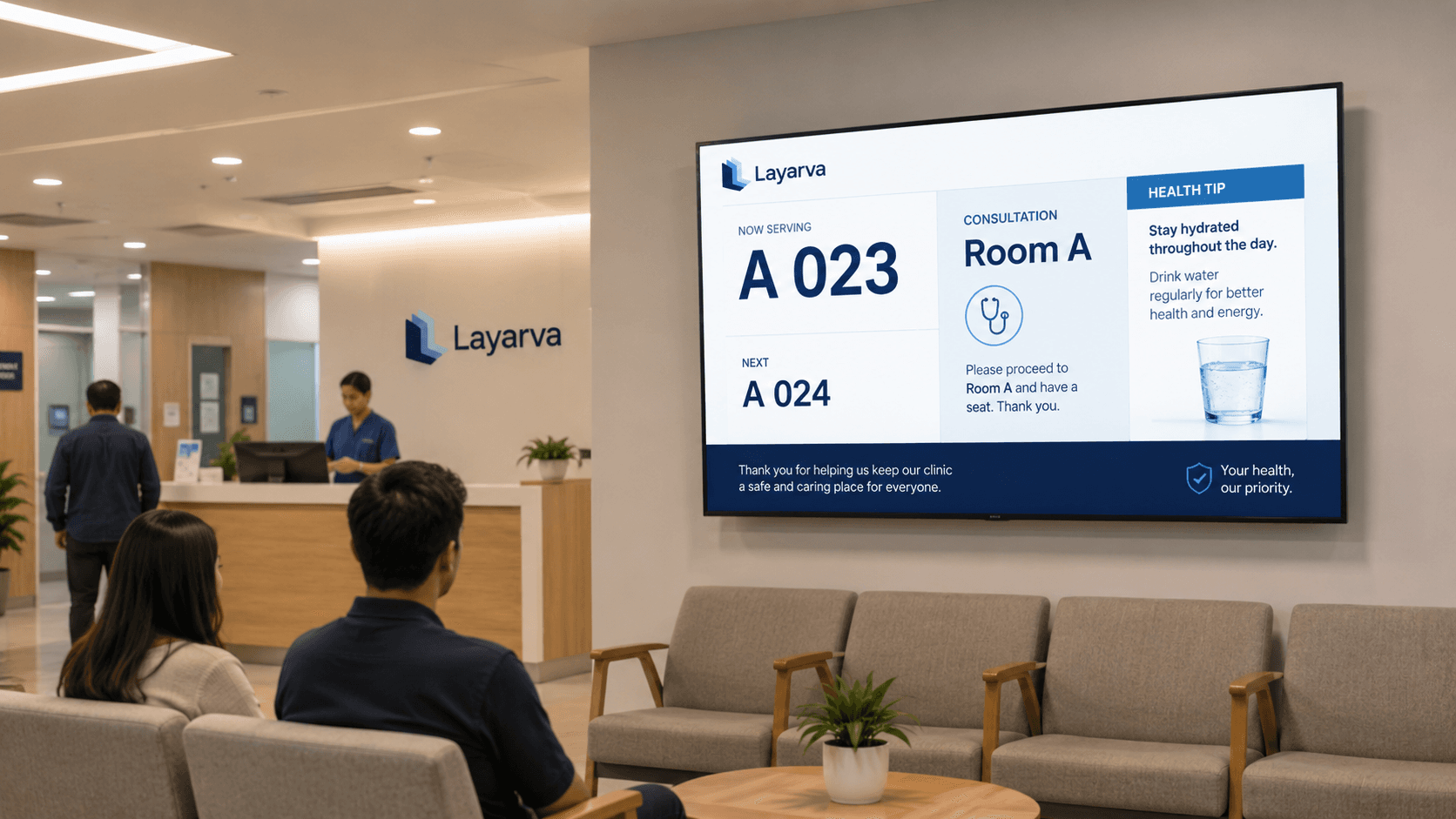
Patients can begin with a Cloud QR KiosK and keep their queue ticket on their phone. Staff manage calls and service progress, while waiting-room screens show queue information and the health content your organization prepares.
Use cases
From the door to the counter.
Queue displays
Registration, pharmacy, cashier and laboratory, each with its own line.
Waiting-room signage
The space around the queue panel, used rather than wasted.
Service information
Which services are open, at which counter, and when.
Announcements
Changes to opening hours or services, on every screen at once.
Educational content
Material your organization has approved, scheduled like any other content.
Multi-site
Several clinics managed from one workspace.
Paperless Queue · QR KiosK Cloud
A paperless start to the patient journey.
Patients scan the kiosk QR, choose registration, pharmacy, or another enabled service, then keep a digital ticket on their phone. Optional forms collect the details your organization needs and make them available to authorized operators.
Explore paperless Queue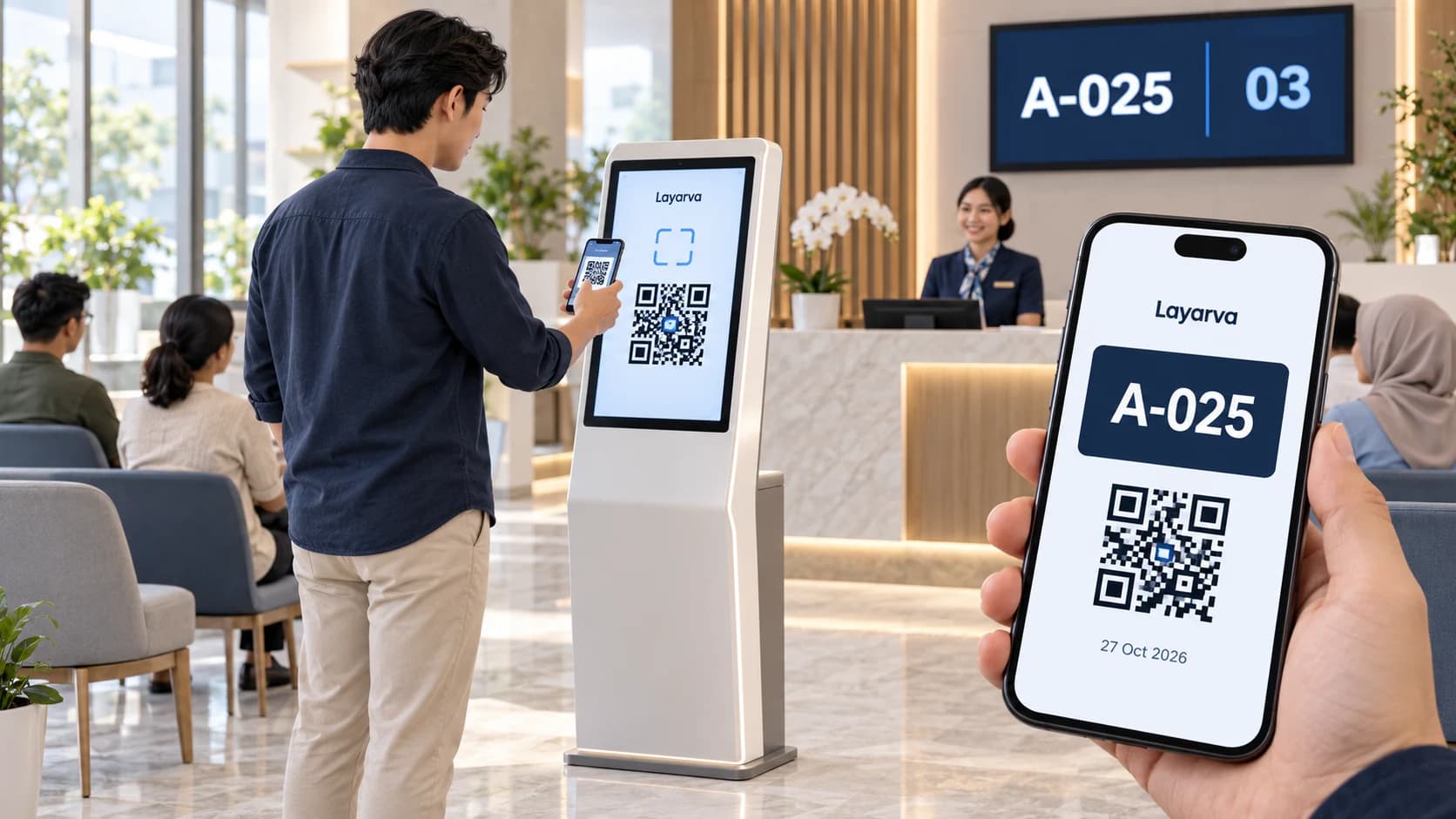
Scan at the kiosk
Open the QR from the kiosk screen using your phone camera.
Choose a service
Choose a queue in your phone browser and complete a form if one is enabled.
Save your digital ticket
Receive a ticket with a queue number and QR that you can download. Wait for the service call.
QR paperless mode requires Cloud and an internet connection, via a kiosk browser or the supported Layarva Android KiosK app. Visitors use their phone browser. QR mode is not available for Edge or Offline. Regular kiosks with supported ticket printing remain available.
The queue screen is also the information screen.
Most of the display is yours. The queue takes the corner it needs and the rest carries whatever the waiting room should be telling people.
Explore Queue ManagementA-025
Counter 3
What this page does not claim
Layarva displays information and runs the queue. It does not diagnose, advise or make any clinical claim, and it is not a medical device. What appears on a screen is content your organization prepared and published.
Capabilities